BUILT ON PENGUINHARNESS

Open-source travel AI
that operates your browser.

Find inspiration, plan routes, compare flights and hotels.
An assistant that opens real websites to help you move forward.

macOS · Windows · Linux / Bring your own model API key

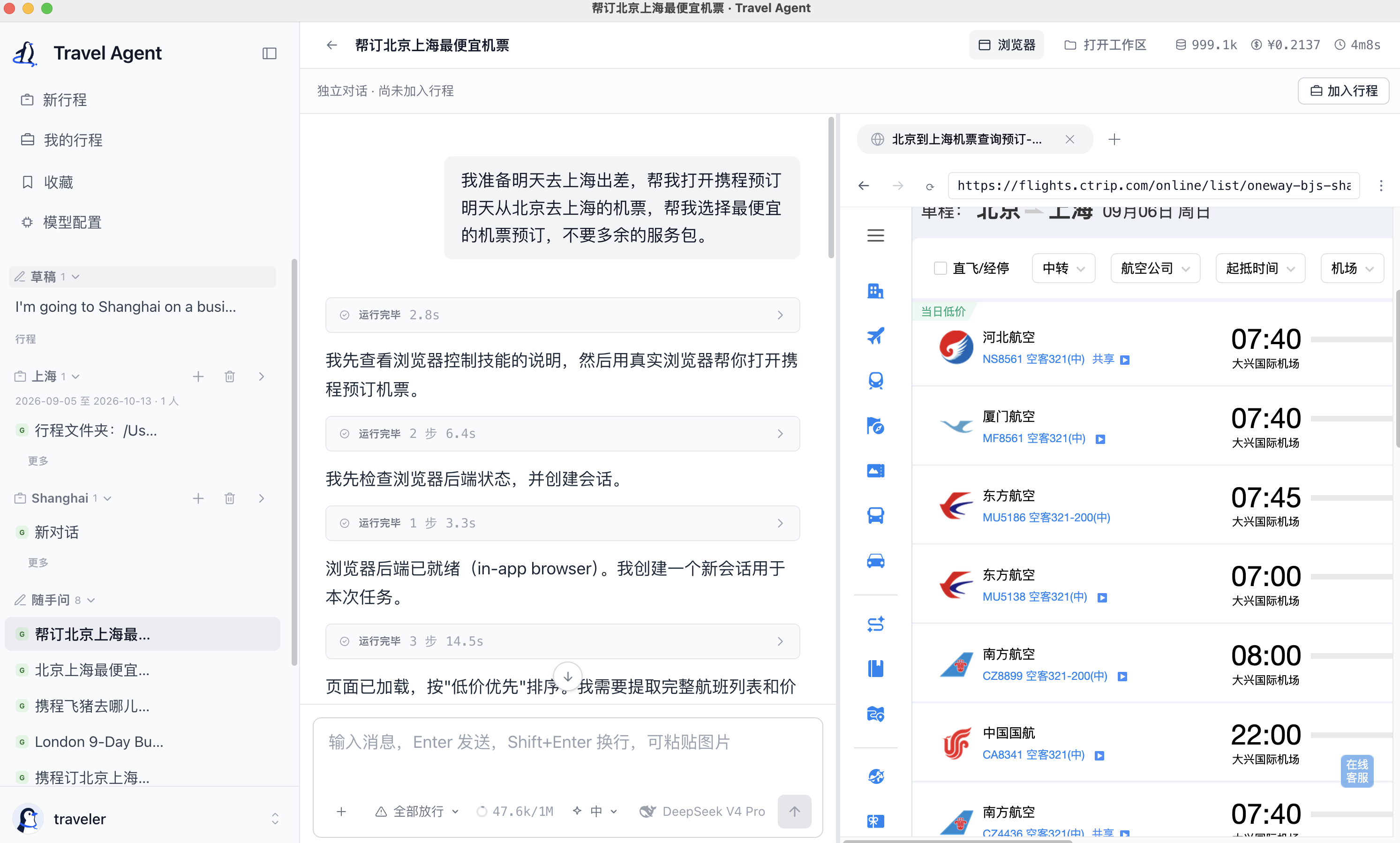
Travel Agent Desktop with a conversation beside Ctrip flight search results from Beijing to ShanghaiSee a travel task in action

One request. A conversation and a browser working together.

SEE IT IN ACTION

From switching tabs to taking the next step.

From finding inspiration to checking the details. Watch two travel tasks in action.

01ROUTE PLANNING

From travel guides to a two-day route

Read Xiaohongshu guides, organize two days in Beijing, and open an Amap route.

View the walkthrough

Demo walkthrough: request a two-day Beijing trip → read Xiaohongshu guides → arrange sights and visiting order → open an Amap route.

Open original video

02HOTEL BOOKING

From hotel search to your next booking

Compare budget, ratings and cancellation policies, choose a room, and reach the payment page.

View the walkthrough

Demo walkthrough: specify hotel requirements → compare hotels and rooms → review the booking form → reach the payment page. The user completes payment.

The hotel demo includes historical task footage with updated branding; it is not a full acceptance test of the current release.

Open original video

Footage is edited and accelerated. Sensitive information is masked.

ONE JOURNEY, ALL THE CONTEXT

All those plans.
One place to return to.

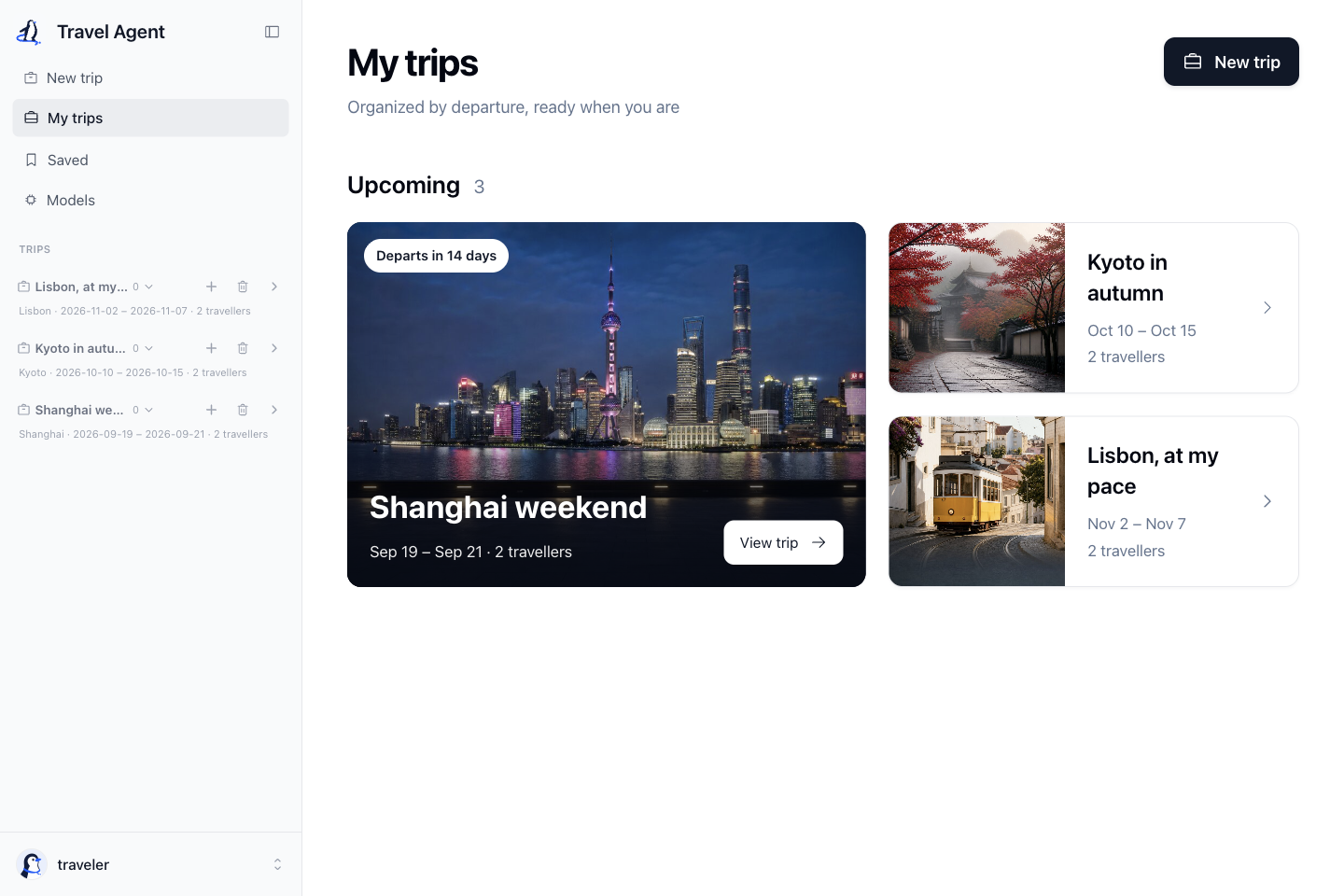
Keep transport, hotels and daily plans in separate conversations. Your destination, dates and budget stay with the same trip.

  • Shared requirements, without repeating yourself
  • Plans and conversations, together in one trip
  • Trip files stay on your own computer
Explore trip organization
My trips reference screen with sample journeys to Shanghai, Kyoto and Lisbon
My trips · Example interface
In-app browser+
Travel Agent
The in-app browser beside a conversation

A BROWSER THAT FEELS FAMILIAR

Built in to the app.
Or connected to your Chrome.

Keep the task in one window, or use the website accounts you already know. Choose the browser for each conversation before the task starts.

The default experience. Websites appear beside your conversation, with no Chrome extension to install.

Read the Chrome extension guide
Visible browser actions
Choose before continuing
Payment stays with you

READY WHEN YOU ARE

Three steps to your first travel conversation.

01

Get the desktop app

Choose the installer for your computer, install it, and open Travel Agent.

02

Connect your model

Open Models, add your own API key, and select the model you want to use.

03

Start with a travel question

Talk through an idea, or ask the assistant to open a travel website and help with a task.

Start with something specific

“A weekend in Shanghai. Help me find hotels near the metro for under ¥500 a night.”

A few things before you go

Does Travel Agent cost money?

Travel Agent is open source under Apache 2.0. You bring your own model API key; your model provider charges for the requests you make.

Do I need the Chrome extension?

No. The desktop app uses its built-in browser by default. Install Travel Browser if you want to use your own Chrome and existing website sessions. The extension needs the desktop app to stay open.

Will it pay for a booking automatically?

No. The booking flow stops at payment, where you complete the final step on the website. Payment controls have an engineering guardrail; this is not a claim of complete runtime isolation.

Where does my trip data live?

Trip files and conversation data stay on your computer. Model requests go to the provider you configure, and browser tasks visit the relevant websites. Local storage does not mean offline processing.

Why does my computer show an installation warning?

Installers are not code-signed yet. macOS may ask you to confirm opening the app in System Settings → Privacy & Security; Windows may show SmartScreen. Verify the download source and read the release instructions and SHA256SUMS.

MAKE ROOM FOR YOUR NEXT ADVENTURE

Your next chapter, together.

Get the app. Connect your model. Tell us where you want to go.

Bring your own model API key

Installers are currently unsigned. Your system may show a first-launch warning.